Discover the Smart
AI Professr Chatbot
Why Choose Professr

Professr
Your intelligent assistant!

HR Assistant
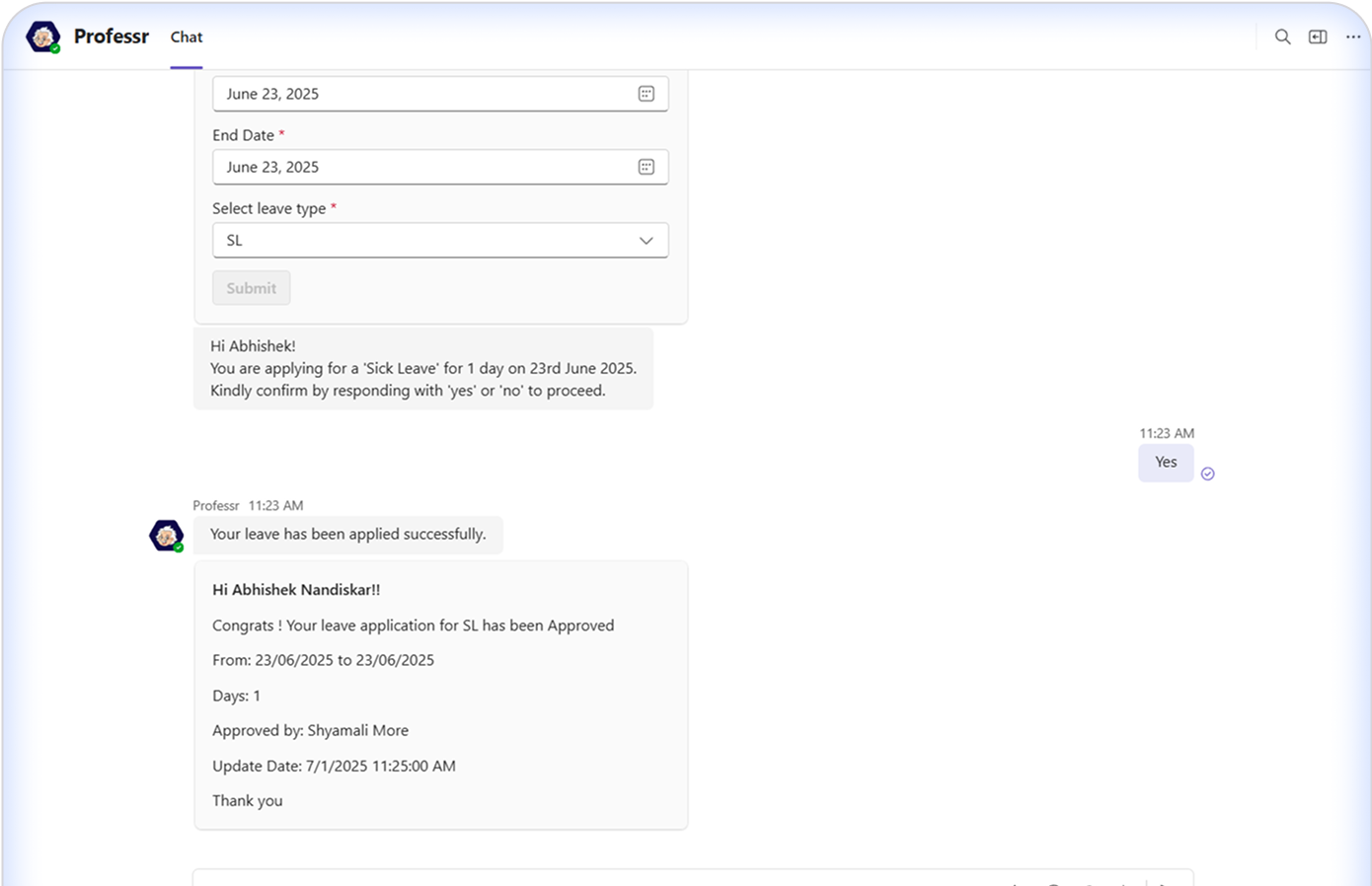
A smart AI-powered chatbot for HRMS, integrated into Microsoft Teams.
Productivity
Helps streamline HR processes, reduce manual effort, and enhanceproductivity for all stakeholders.

AI- Powered
Automates leave, approvals, timesheets, and project assignments foremployees and HR teams.
Key Features
to deliver a seamless experience.



Boosts Efficiency
Automates repetitive HR tasks, reducing manual work and improving response times.
Reduces Compliance Risks
Automates timesheet access and reminders for timely, accurate submissions.
Saves HR Time
HR and Superadmins can export timesheets, track employee leave records, & manage access seamlessly.
Improves Decision-Making
Uses real-time analytics to enhance visibilityand guide effective workforce strategies.
Seamless Integration
Connects effortlessly with existing HRMS, payroll, and project management tools.
How Does Professr Work
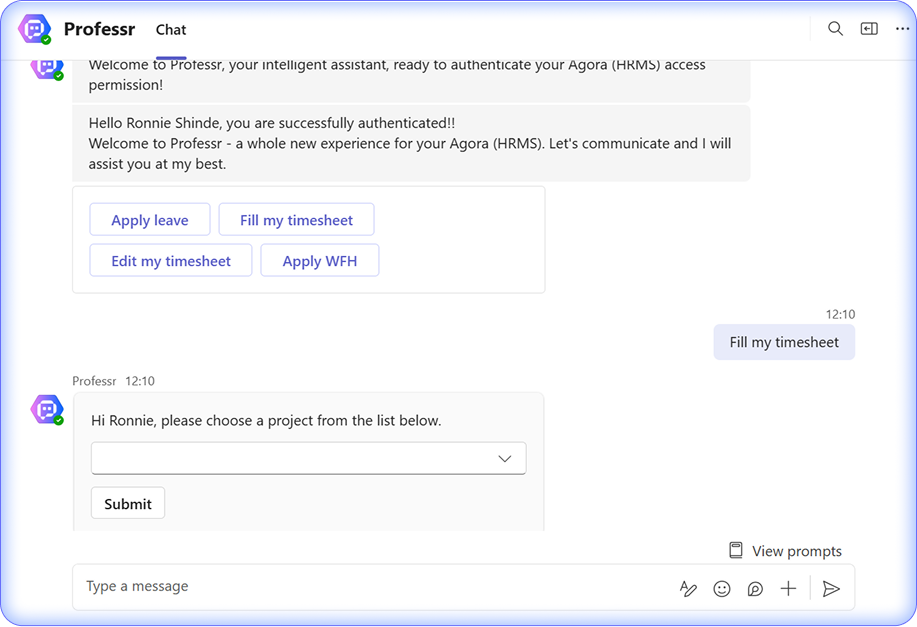
AI-Powered Chatbot Interface
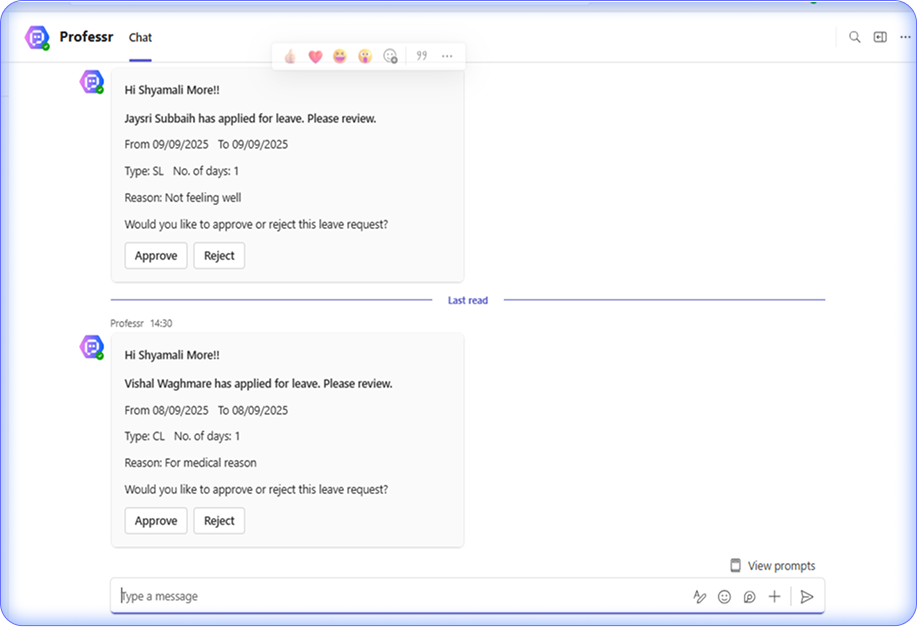
Professr simplifies employee tasks like leave applications, timesheet entries,and approval tracking.
Microsoft Teams Integration
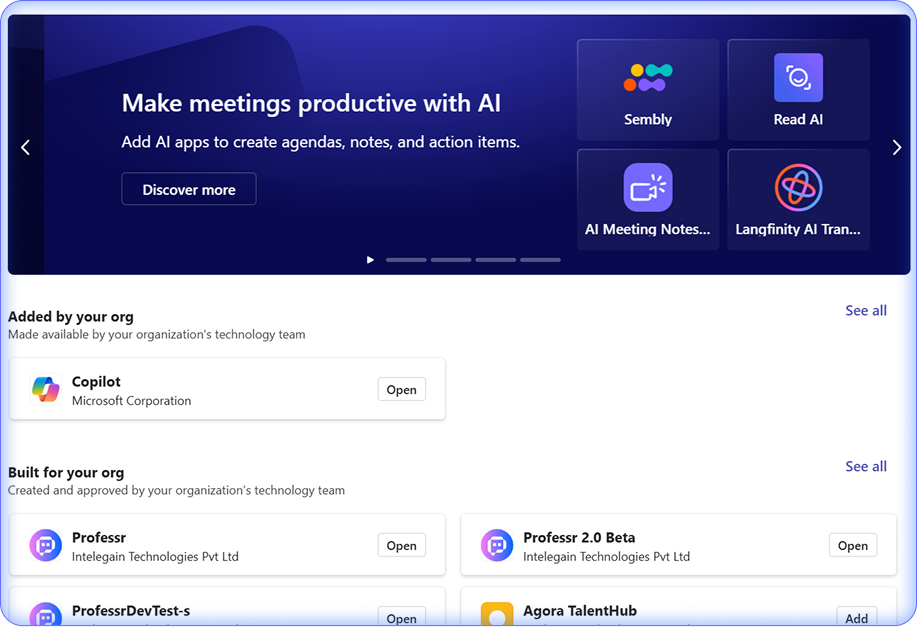
Microsoft Teams serves as the interface between the bot and users, enablingseamless interaction and easy access.
Comprehensive HR Insights
HR and Superadmins can generate reports on employee leave trends and timesheet compliance
Project Member Assignments
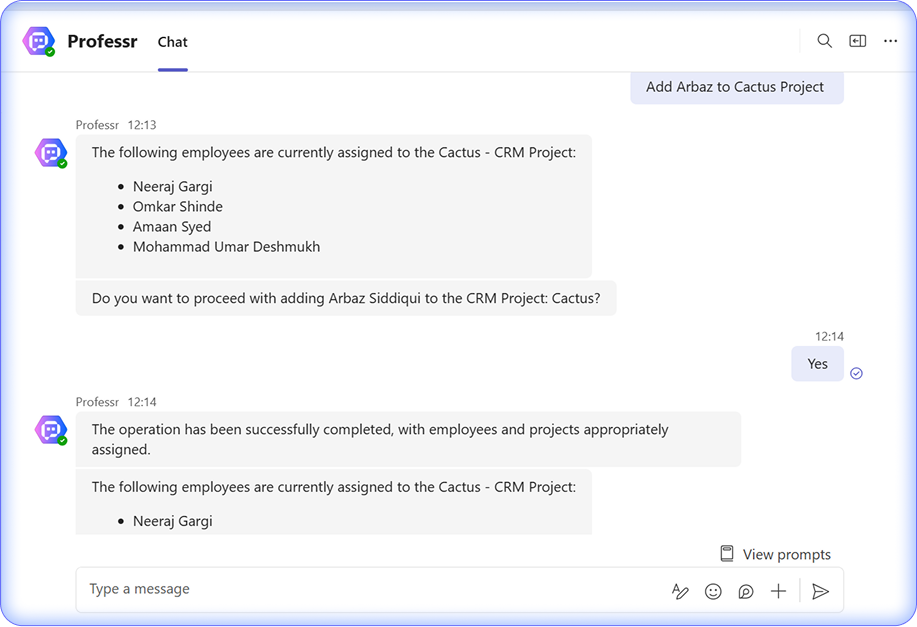
Project Managers, Business Analysts, and Account Managers can add members to projects directly through the chatbot
Technical Strengths

User-Friendly Interface

Advanced AI & NLP

Integration With Existing System

Secure & Scalable

Automated Report & Exports
User-Friendly Interface
Advanced AI & NLP
Integration With Existing System
Secure & Scalable
Automated Report & Exports
Frequently Asked Questions
.accordion-body, though the transition does limit overflow. .accordion-body, though the transition does limit overflow. 


